
Why is my website not showing up on Google? Learn the real causes, how to check indexing, and the simple fixes that get your pages found.
Why Is My Website Not Showing Up on Google? (And How to Fix It)
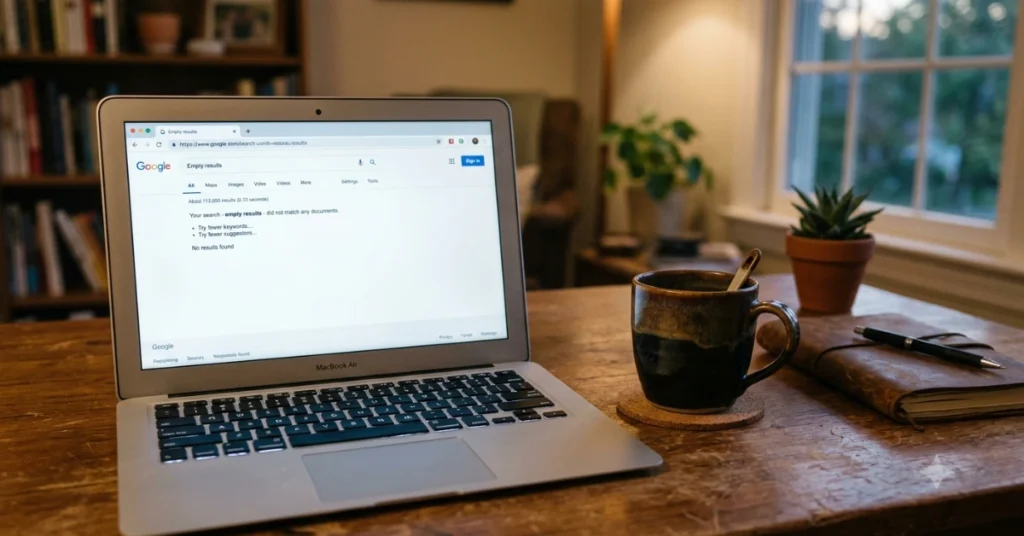
You built the site. You picked the colors. You even wrote an “About Me” page that made your mom cry. Then you typed your business name into Google and got… nothing.
Rough, I know. I’ve seen this panic plenty of times, and here’s the good news: in most cases, the cause is fixable, and it’s rarely personal. Google isn’t ignoring you. It either hasn’t found your pages, can’t read them, or doesn’t think they’re ready for page one yet.
For a new blogger, the question “Why is my website not showing up on Google?” is not just an annoying technical issue—it is often the single most critical question determining whether their blog survives or fails.
Here is why understanding this question (and its 10 fixes) is so foundational to new bloggers:
First, Know the Difference: Not Indexed vs. Not Ranking
These two get mixed up constantly, and they need different fixes.
| Problem | What it means | Where it shows up |
|---|---|---|
| Not indexed | Google hasn’t stored your page, so it can’t appear at all | site:yourdomain.com shows nothing |
| Indexed but not ranking | Google knows your page, but thousands of others look better | Page appears for your name, but not for your topic |
Think of indexing as getting a library card for your book. Ranking is whether anyone picks it off the shelf. Being indexed does not guarantee a first-page spot. Ranking depends on relevance, content quality, competition, technical performance, and authority.
How Do I Check Whether Google Has Indexed My Website?
Takes about ten seconds.
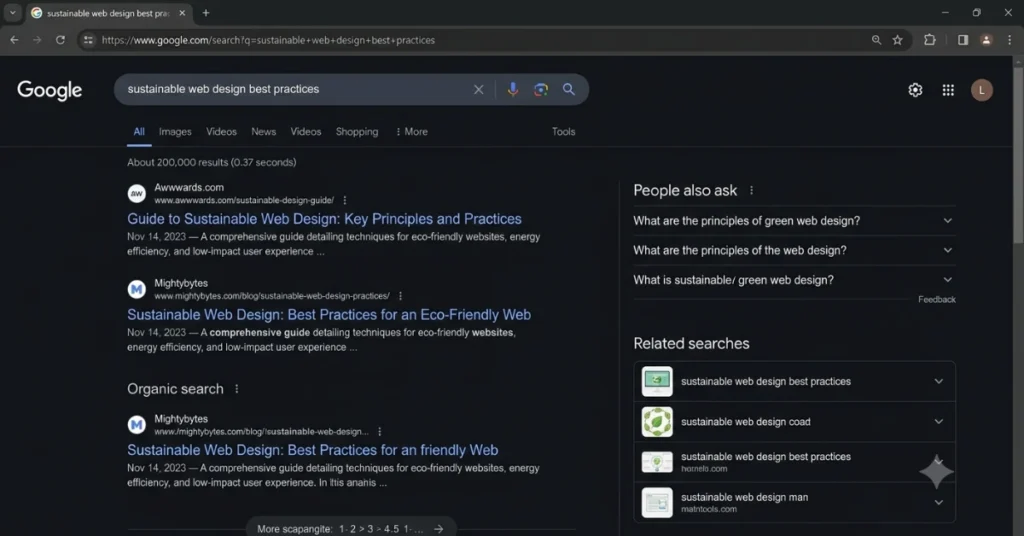
- Open Google and type
site:yourdomain.com(swap in your real domain). - If results appear, Google knows about your site.
- If nothing appears, you’ve got an indexing issue.
For a single page, use the URL Inspection tool in Google Search Console. It tells you straight up whether that URL is on Google and, if not, why.
The Most Common Reasons Your Website Isn’t Showing Up
1. Your site is brand new
Google says it can take a few weeks to notice a new site or changes to an existing one. If you launched last Tuesday, breathe. Nothing is broken yet. Still, you can speed things up (more on that below).
2. Nobody links to you
Google finds pages by following links. A site with zero links pointing in is like a house with no road. Even a few links from legit places help Google discover you.
3. A robots.txt rule is blocking Googlebot
Yes, robots.txt can stop your website from appearing on Google. One misplaced rule can tell Googlebot to stay out. Search Console has a robots.txt report that helps you spot this.
4. A noindex tag is hiding your pages
A noindex directive tells Google not to index a page or show it in results. It’s useful for thank-you pages. It’s a disaster on your homepage. Remove the tag from the page’s HTML or your CMS settings, make sure the URL is crawlable, then request indexing.
Learn more in our in-depth guide on Technical SEO vs On Page SEO.
Sneaky one: WordPress has a “Discourage search engines from indexing this site” checkbox. Developers sometimes tick it during building and forget. Check Settings → Reading.
5. Crawl errors are getting in the way
If your server is slow, down, or throwing errors, Google can’t read your pages reliably. Search Console’s indexing reports will flag these.
6. Your content is thin or copied
Google doesn’t want ten near-identical pages. If your content is light, duplicated, or doesn’t help anyone, it may get crawled and then quietly skipped.
“Crawled – Currently Not Indexed” vs. “Discovered – Currently Not Indexed”
These two Search Console messages confuse everyone. Here’s the plain version:
| Status | Translation |
|---|---|
| Discovered – currently not indexed | Google knows the URL exists but hasn’t visited yet |
| Crawled – currently not indexed | Google visited and decided not to add it, for now |
The fix for both is similar: improve internal linking, remove duplicate content and crawl traps, strengthen the page quality, make sure it loads reliably, and request indexing for your priority URLs.
Why Is Only My Homepage Showing Up?
Common story. Your inner pages may lack internal links, be blocked, have duplicate or canonical issues, or simply not have been discovered yet. Link to your key pages from your homepage and menu with clear anchor text, then inspect each URL in Search Console.
Explore our step-by-step guide How to Fix Low Rankings.
Did Your Site Vanish After a Redesign or Migration?
Oof. Usually one of these culprits:
- Broken redirects
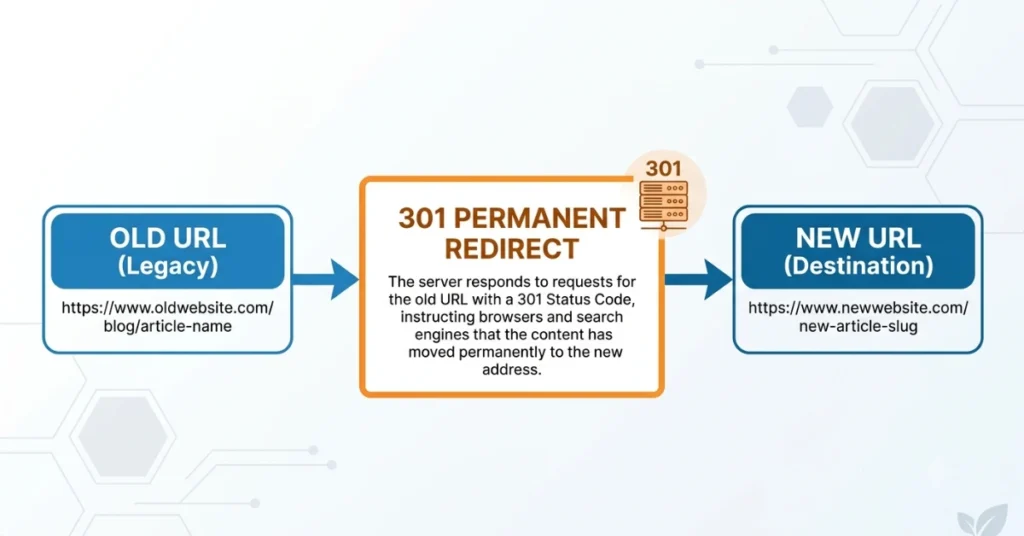
- Changed URLs with no 301 redirects
- A noindex tag left over from the staging site
- Blocked crawlers
- A new structure that breaks internal links
Google publishes site-move guidelines, and following them is worth the hour. On WordPress, the free Redirection plugin makes 301s painless.
Could a Google Penalty Be the Problem?
Possible, though less common than people fear. A manual action or spam issue can severely reduce visibility, and hacked sites often get hit. Check Security & Manual Actions in Search Console. If something’s listed, fix it and submit a reconsideration request.
How to Get Your Website Indexed (Step by Step)
Here’s the order I’d follow:
- Verify your site in Google Search Console. It’s free.
- Submit your XML sitemap. Most SEO plugins generate one automatically.
- Inspect your key pages with the URL Inspection tool.
- Click “Request Indexing” for your important pages.
- Fix blockers: noindex tags, robots.txt rules, broken links.
- Add internal links so every page is reachable in a few clicks.
- Earn a few real links from other sites.
- Be patient. Weeks, not hours.
And one more thing: don’t pay anyone for “guaranteed Google indexing.” Google doesn’t charge for inclusion in organic search. Use Search Console, a valid sitemap, crawlable pages, and legitimate links instead.
Indexed but Still Invisible? Work on Ranking
If your pages are indexed but buried, the problem shifts from technical to competitive. Ask yourself:
- Does my page answer the search better than what’s already ranking?
- Is it fast and easy to use on a phone?
- Do other trustworthy sites link to it?
- Is it written for people rather than for algorithms?
Honestly, that last question fixes more sites than any plugin.
Find detailed insights in our article on Earn Money with AI Blogging.
Tools That Make This Easier
You don’t need all of these. Start free and add more only if you need to.
| Tool | Best for | Cost |
|---|---|---|
| Google Search Console | Indexing, sitemaps, manual actions | Free |
| PageSpeed Insights | Speed and Core Web Vitals | Free |
| Screaming Frog SEO Spider | Finding noindex tags and broken links | Free tier / paid |
| Yoast SEO or Rank Math | WordPress sitemaps and index controls | Free / paid |
| Redirection | 301 redirects after migrations | Free |
| Semrush / Ahrefs | Audits, backlinks, rank tracking | Paid |
| Cloudflare | Checking security rules aren’t blocking Googlebot | Free / paid |
| Sucuri | Cleaning up hacked sites | Paid |
Quick Troubleshooting Checklist
- [ ]
site:search shows my pages - [ ] Search Console is verified
- [ ] Sitemap submitted
- [ ] No noindex tag on key pages
- [ ] robots.txt isn’t blocking Google
- [ ] Redirects work after any redesign
- [ ] Inner pages are linked internally
- [ ] Content is original and useful
FAQ
How long does it take for Google to index a new website?
A few weeks is normal. Submitting key URLs through Search Console can help.
How do I submit my website to Google?
Verify it in Search Console, submit a sitemap, and use Request Indexing on important pages
Does being indexed guarantee page one?
No. Ranking depends on quality, competition, performance, and authority.
Should I pay for Google indexing?
No. Organic inclusion is free.
Final Thoughts
If your website isn’t showing up on Google, it’s almost always one of three things: Google can’t find it, Google can’t read it, or Google doesn’t yet see a reason to rank it. Start with the site: check, open Search Console, and work down the list one step at a time.
You’ve done the hard part by building something. Now let Google catch up.
Your turn: Run the site: check today and tell me what you find. Stuck on a specific error message? Drop it in the comments and let’s sort it out.
Note on the draft: the “I’ve seen this” line is a voice choice, so edit it to match your real experience. For stronger E-E-A-T, add a short story of your own and link to Google’s official Search Central documentation. I can also turn this into a file or add WordPress-specific troubleshooting steps if you’d like.
This guide offers general SEO troubleshooting advice. Search engine rankings depend on Google’s evolving algorithms and cannot be guaranteed. Always back up your site before making technical updates.