
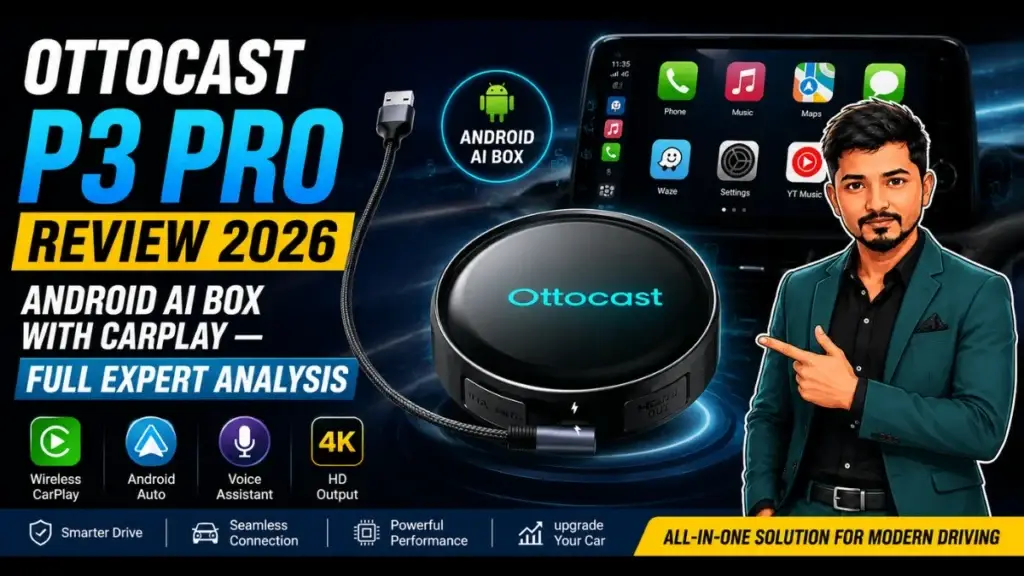
Is the Ottocast P3 Pro worth $249? Our in-depth review covers OttoDrive 3.0, media performance, wireless CarPlay concerns, gaming, thermals, and better alternatives.
The in-car infotainment upgrade market has exploded over the past three years. Drivers no longer want to simply connect their phones via CarPlay or Android Auto — they want a fully independent Android ecosystem living inside their factory head unit. The Ottocast P3 Pro positions itself as one of the most polished answers to that demand, priced at $249 and promising a premium Android AI box experience built on Qualcomm silicon and a refined custom interface.
However, premium positioning demands premium performance across every feature — and that is precisely where this review gets complicated. After extensive hands-on testing across media playback, wireless connectivity, gaming, and real-world driving scenarios, this analysis delivers the most comprehensive breakdown of the P3 Pro available anywhere online.
Table of Contents
What Is the Ottocast P3 Pro? Understanding AI Box Adapters
Before diving into the specifics, it is worth establishing exactly what an AI box adapter does, since many potential buyers encounter these devices for the first time.
An AI box adapter — sometimes called a CarPlay AI box — plugs into your existing car’s factory CarPlay or Android Auto USB port. Rather than simply mirroring your phone, the device runs its own Android operating system independently. This means you can install apps directly onto the box, stream YouTube and Netflix, use native Google Maps with offline downloads, and run Spotify or other audio apps — all without your phone needing to be connected or even present.
The Ottocast P3 Pro represents Ottocast’s most capable iteration of this concept to date, succeeding the original P3 (also known as the Picasou 3) with meaningful hardware and software upgrades. According to market research from Statista, in-car entertainment and connectivity systems represent one of the fastest-growing automotive accessory categories globally, making devices like the P3 Pro increasingly relevant to modern drivers.
Technical Specifications: What’s Inside the Ottocast P3 Pro
Understanding the hardware underpinning the P3 Pro is essential for contextualizing its real-world performance.
| Specification | Detail |
| Chipset | Qualcomm Snapdragon 6225 (Octa-Core) |
| RAM | 8 GB LPDDR4X |
| Storage | 128 GB (expandable via microSD) |
| Operating System | Android 13 (OttoDrive OS 3.0) |
| Connectivity | Wi-Fi 5 (802.11ac), Bluetooth 5.0 |
| SIM Support | Physical nano-SIM + eSIM |
| USB | USB-C (power and data) |
| Video Output | Mini HDMI |
| CarPlay Protocol | Wired + Wireless |
| Android Auto | Wired + Wireless |
| Thermal Design | Perforated underside ventilation |
The Qualcomm Snapdragon 6225 chipset is a mid-range processor increasingly common in the AI box segment. It delivers acceptable everyday performance but sits below the more capable Snapdragon 6350, which competes directly at this price point in rival devices. This distinction matters, as the review will demonstrate throughout each performance category. The inclusion of eSIM support alongside a physical SIM slot is genuinely useful. It means the P3 Pro can maintain its own mobile data connection without relying on your phone’s hotspot, which in theory reduces wireless interference and improves streaming consistency during long journeys.
Design and Build Quality
Physically, the Ottocast P3 Pro features a compact rectangular form factor slightly thicker than its predecessor. The additional thickness is not arbitrary — it accommodates improved ventilation through a more extensively perforated underside, a detail that pays dividends during extended use.
The device includes:
- A USB-C port for both data and power input
- A mini HDMI output for connecting to external displays when needed
- A physical hardware switch on the underside that toggles the device between CarPlay and Android Auto protocol modes
This hardware toggle is a genuinely practical design decision. Rather than navigating software menus to switch protocols, a physical switch provides instant, reliable protocol selection — a small but meaningful quality-of-life feature that many competing devices overlook.
Build quality feels solid and appropriately premium for the price point. The device does not flex under pressure, ports feel secure, and the overall construction inspires confidence in long-term durability.
Wait, Are you in Hurry ?
so check this product on this site now

- 🔥【Wireless Upgrade for Factory Wired CarPlay】Convert your factory wired CarPlay system into a wireless connection for a …
- 🔥【Stable Auto Reconnection】Designed for everyday driving convenience, the adapter automatically reconnects to your previ…
- 🔥【Voice Assistant & Hands-Free Driving】Supports navigation, voice assistant features, hands-free calling, and audio cont…
Installation Process
Setup is refreshingly straightforward regardless of vehicle type. The process involves:
- Plugging the P3 Pro into your car’s designated CarPlay or Android Auto USB port
- Allowing approximately 40 seconds for the device to boot fully
- Completing a brief initial setup within OttoDrive OS 3.0
- Pairing your phone for CarPlay or Android Auto if required
This sub-60-second boot time is competitive within the AI box category and ensures the device is ready before most drivers finish their pre-drive routine.
OttoDrive OS 3.0: The Interface That Sets Ottocast Apart
Among all the P3 Pro’s features, OttoDrive OS 3.0 represents its most compelling competitive advantage. Ottocast has invested genuinely significant development effort into creating an interface that feels purposeful rather than generic — and it shows.
Explore our step-by-step guide to “ChatGPT Expertise PLR: The Complete 2026 Guide”.
Persistent Navigation Dock
The most immediately noticeable improvement over competing AI boxes is the persistent bottom dock. Where most AI boxes present a floating circular menu button that obscures screen content and requires hunting for specific interactions, OttoDrive 3.0 maintains a permanent dock at the screen’s base. This dock provides consistent, predictable access to:
- Home navigation
- Split-screen mode activation
- App shortcuts
- AI assistant access (Ottocast Nano or Google Gemini)
- Back navigation
The difference in usability during actual driving is substantial. Consistent interface placement reduces the cognitive load and visual attention required to navigate the system, which directly improves safety for driver-operated features.
Home Screen Widgets
The default home screen ships with three primary widgets:
- Maps (Google Maps or Waze, configurable)
- Media playback controls
- Local weather information
Users can customize the home screen by replacing or adding widgets from Ottocast’s built-in widget library. The honest limitation here is that the library remains relatively small — broader widget variety would enhance personalization meaningfully.
Pre-Installed Application Suite
The P3 Pro arrives with a genuinely comprehensive pre-installed app collection:
- YouTube
- Netflix
- Disney+
- Amazon Prime Video
- Google Maps
- Spotify
- Google Play Store (full access for additional app installation)
The inclusion of full Google Play Store access is significant. It means the P3 Pro is not limited to Ottocast’s curated app selection — you can install virtually any Android-compatible application. This dramatically extends the device’s utility beyond the factory app set.
Ottocast Nano AI Assistant
The built-in Ottocast Nano AI assistant handles voice queries including general knowledge questions, weather checks, and sequential voice commands. Accuracy is variable in testing — voice recognition performs acceptably for straightforward requests but struggles with complex queries or in noisier vehicle environments. Users who prefer Google’s voice recognition can switch to Google Gemini as their primary assistant, which offers more reliable and accurate voice processing.
Media Performance: Where the P3 Pro Genuinely Excels
Despite the mid-range chipset concerns, Ottocast’s software optimizations produce media performance that genuinely surprises.
YouTube Playback
YouTube performance on the P3 Pro is exceptional. Testing revealed:
- Average audio latency of approximately -40ms (occasionally reaching 0ms), resulting in excellent lip-sync during video playback
- Smooth 1080p60 playback with minimal frame drops under sustained use
- A usability enhancement unique to this version: instant dismissal of video overlays with a single tap
The lip-sync accuracy is particularly notable. Audio-video synchronization problems are among the most common complaints against 6225-based AI boxes, making Ottocast’s optimizations here a meaningful differentiator.
Netflix Streaming
Netflix performance closely matches YouTube quality. Lip-sync remained accurate throughout testing, and the display resolution proved sufficient for comfortable content browsing on a 13-inch touchscreen display. The interface DPI felt appropriately calibrated for in-car use, making title selection genuinely practical during stationary use.
Local Media Playback
For local media files, VLC (available via Google Play Store) outperforms the pre-installed MX Player significantly. Performance characteristics for local video:
- 4K at 30fps: Handled reasonably well with occasional minor stuttering
- 4K at 60fps: Insufficient chipset headroom; results in noticeable stuttering and freezing
- 1080p: Smooth and reliable — the recommended format for this chipset
This places the P3 Pro in line with the broader 6225 chipset ecosystem. For 99% of streaming use cases and most local media libraries, 1080p capability is entirely sufficient.
Spotify and Audio Applications
Spotify performed smoothly within the Android OS environment. The app launched quickly, playback was immediate, and audio output was clean without the crackling or skipping that affected CarPlay audio performance (addressed further below). Offline playlist downloads work as expected, making the P3 Pro viable as a standalone audio system during connectivity-limited journeys.
Explore related tips in our guide on “Best Free AI Tools for Bloggers in 2026”
Gaming Performance: An Honest Assessment
The P3 Pro is not a gaming device, and evaluating it as one requires appropriate calibration of expectations. The Snapdragon 6225 chipset was designed for communication and productivity workloads, not GPU-intensive gaming scenarios.
Light Gaming
Casual titles — Crossy Road, Subway Surfers, and comparable lightweight games — run acceptably on the P3 Pro. Frame rates are consistent and gameplay remains functional, though touch input carries noticeable latency compared to direct smartphone gaming.
Heavy Gaming
Demanding 3D titles expose the chipset’s limitations clearly. Testing with Asphalt Xtreme produced consistent crashes at the loading screen — the game failed to launch successfully across multiple attempts. This represents a genuine limitation, not a fixable software issue.
Controller Support
External controller support functions correctly for compatible games, which improves the gaming experience for titles where touch controls are suboptimal. This is a useful feature for stationary use scenarios.
Audio Bug During Gaming
One frustrating bug emerged during gaming testing: Ottocast’s audio fix for gaming (which correctly resolves audio output issues in the OS) triggers an unintended side effect where Spotify begins playing automatically upon launching any game application. This is a software issue Ottocast should prioritize in a future firmware update, as it creates a disruptive and jarring experience during game sessions.
Wireless CarPlay Performance: The Most Critical Limitation
This section addresses the P3 Pro’s most significant real-world limitation — and the one most likely to influence purchasing decisions for the majority of buyers.
Connection Speed
CarPlay paired with an iPhone 17 Pro in 18 seconds with a total boot-to-CarPlay time of approximately 41 seconds. Both figures are competitive and would be entirely acceptable if connection quality matched connection speed.
Connection Quality Issues
Unfortunately, the wireless CarPlay stream quality falls short of what $249 should deliver:
- Resolution appears noticeably lower than expected for wireless CarPlay
- Input response is sluggish, creating a frustrating gap between touch action and screen response
- No manual 5GHz frequency forcing — despite the device’s hotspot broadcasting on 5GHz in testing, the absence of a user-accessible frequency override means connectivity optimizations are limited
- Audio crackling occurred during Spotify playback through CarPlay
- Message audio playback exhibited skipping during testing
These are not minor cosmetic issues. For drivers who intend to use CarPlay as their primary phone interface — which represents a substantial portion of the target market — these performance deficits meaningfully impact the daily driving experience.
Read our complete guide on “10 AI Prompts That Help Write SEO Blog Post”.
Why Wireless CarPlay Matters for This Device
It is important to contextualize this criticism appropriately. The P3 Pro is designed specifically to replace or supplement CarPlay/Android Auto with a self-contained Android environment. Users who adopt it primarily for the Android OS features — streaming media, Google Maps, Spotify natively — and use CarPlay only occasionally may find this limitation acceptable.
However, the $249 price point implicitly promises a complete experience across both use cases. Competing devices running the Snapdragon 6350 chipset handle wireless CarPlay more competently at comparable or lower price points, making this a legitimate concern for value-conscious buyers.
Wireless Android Auto Performance: Below Expectations
Android Auto testing produced similarly mixed results, with both a standout positive and several meaningful negatives.
Pairing Speed: A Genuine Achievement
The P3 Pro’s Android Auto pairing speed is genuinely impressive — connecting in under 5 seconds with a total boot-to-Android Auto time of approximately 40 seconds. This is among the fastest Android Auto pairing times tested across any AI box, representing a legitimate achievement.
Ongoing Performance Issues
Beyond the pairing speed, Android Auto performance follows the pattern established by CarPlay:
- Image quality appears lower resolution than wired alternatives
- Steering wheel control support was limited and inconsistent
- Audio playback was inconsistent with crackling and degradation
- Microphone input carried audible grainy interference during voice command testing
These issues, combined with the CarPlay wireless performance problems, suggest a fundamental Wi-Fi optimization gap that firmware updates may or may not fully address. Until Ottocast delivers meaningful improvements in this area, recommending the P3 Pro primarily as a wireless CarPlay or Android Auto device is difficult to justify.
Thermal Management and Long-Term Stability
Extended use testing over 60+ continuous minutes produced surface temperatures averaging approximately 40°C. This is well within acceptable thermal parameters for an enclosed automotive device and suggests no thermal throttling under normal operating conditions.
The enhanced perforated ventilation design appears effective. The P3 Pro ran consistently without unexpected shutdowns, performance degradation, or concerning heat accumulation at any point during testing. For a device intended to run continuously during multi-hour journeys, thermal stability is non-negotiable — and the P3 Pro delivers it reliably.
OttoDrive OS 3.0 vs. Competing Interfaces: A Comparative View
Understanding the P3 Pro’s software advantage requires comparing it against the competitive landscape. According to independent testing resources like The Verge’s automotive tech coverage, most CarPlay AI boxes ship with generic Android launchers inadequately adapted for in-car use.
OttoDrive 3.0 addresses the three most common AI box interface failures:
- Navigation inconsistency — solved by the persistent bottom dock
- Split-screen instability — resolved through genuine software optimization
- Widget inflexibility — partially addressed with a small but functional widget library
The software maturity here represents months of genuine development investment that many cheaper competitors simply cannot match. For buyers prioritizing the Android OS experience over wireless CarPlay quality, this interface advantage is real and meaningful.
Value Analysis: Is the Ottocast P3 Pro Worth $249?
The pricing question requires honest segmentation based on intended use case.
For Android OS-Primary Users
If your primary goal is transforming your factory screen into a self-contained Android entertainment system — streaming video, running Google Maps natively, playing music through Spotify — the P3 Pro delivers compelling value. The combination of OttoDrive 3.0’s polished interface, reliable media performance, and strong thermal management creates a genuinely usable daily experience.
For Wireless CarPlay/Android Auto-Primary Users
At $249 with the wireless CarPlay and Android Auto limitations documented above, the P3 Pro struggles to justify its premium positioning. Competing devices featuring the Snapdragon 6350 chipset offer meaningfully better wireless connectivity performance at comparable or reduced prices, making the P3 Pro a difficult recommendation for this use case.
Price Positioning Context
The AI box market offers a wide price spectrum. According to Consumer Electronics Association data, connected car device adoption has accelerated significantly, with buyers increasingly willing to invest in quality. At $249, the P3 Pro occupies premium territory where buyers reasonably expect premium performance across all advertised features — not just selected ones.
Who Should Buy the Ottocast P3 Pro?
Ideal Buyer Profile
The P3 Pro is most appropriate for:
- Passengers and rideshare drivers who prioritize media streaming over driving connectivity
- Drivers with vehicles lacking modern infotainment who want a media-rich Android experience
- OttoDrive OS enthusiasts who value polished interface design above all else
- Users with independent mobile data plans who can leverage the eSIM capability for standalone connectivity
- Drivers who use CarPlay occasionally rather than as their primary daily interface
Who Should Look Elsewhere
Consider alternatives if you are:
- A daily wireless CarPlay user who depends on reliable audio and responsive input
- A wireless Android Auto user seeking consistent, high-quality performance
- Budget-conscious buyers who can achieve similar Android OS capabilities with a 6350-based device at lower cost
- Gamers expecting meaningful gaming capability from an in-car device
Competitor Comparison: Ottocast P3 Pro vs. Key Alternatives
| Device | Chipset | Wireless CarPlay | Android OS | Price Range |
| Ottocast P3 Pro | Snapdragon 6225 | Problematic | Excellent (OttoDrive 3.0) | ~$249 |
| CarlinKit Ultra 3 | Snapdragon 6350 | Excellent | Very Good | ~$220–$250 |
| MMB Mini Ultra | Snapdragon 6350 | Very Good | Good | ~$200–$230 |
| CarlinKit Ultra 2 | Snapdragon 6350 | Good | Good | $180–$210 |
The pattern is clear: devices running the Snapdragon 6350 chipset consistently deliver better wireless CarPlay and Android Auto performance. The P3 Pro’s advantage lies specifically in OttoDrive 3.0’s interface quality and media optimization — advantages that matter most to Android-first users.
Setup Tips and Optimization Recommendations
For users who do purchase the P3 Pro, the following practices will maximize the experience:
- Install VLC immediately for local media playback — it significantly outperforms the pre-installed MX Player
- Download Google Maps regions offline to reduce dependency on mobile data during navigation
- Switch the AI assistant to Google Gemini for more accurate voice recognition
- Enable split-screen mode for Google Maps and media apps simultaneously — this is one of the P3 Pro’s genuine strengths
- Monitor firmware updates through the OttoDrive OS settings — Ottocast has a track record of addressing software issues through updates
- Use the physical protocol switch to select CarPlay or Android Auto mode before starting the car, reducing boot sequence complications
- Connect via USB-C using a high-quality cable to ensure stable data transfer alongside power delivery
Firmware Update Potential: What Ottocast Could Improve
Several of the P3 Pro’s limitations appear software-addressable rather than hardware-fundamental. Ottocast has improved its devices through firmware updates historically, and the following areas represent the highest-priority targets for future updates:
- Wireless CarPlay resolution and input latency — the most critical improvement needed
- Android Auto audio consistency — microphone interference requires addressing
- Gaming audio routing — the Spotify auto-play bug needs elimination
- Widget library expansion — more customization options would strengthen the already-strong home screen
- 5GHz Wi-Fi band locking — giving users explicit frequency selection control
If Ottocast delivers meaningful improvements to wireless CarPlay and Android Auto through firmware updates — as they have done with previous devices — the P3 Pro’s value proposition strengthens considerably. The hardware foundation is capable; the software optimization is what remains incomplete.
Final Verdict
The Ottocast P3 Pro occupies a paradoxical position in the AI box market. It is simultaneously the most refined Android experience available on a 6225-based device and a device that fails to justify its $249 price tag for its core wireless connectivity promises.
OttoDrive OS 3.0 is genuinely excellent. The persistent dock, reliable split-screen, smooth media performance, and fast boot times make the Android OS experience more polished than any competing interface at this price point. For drivers who want a self-contained Android entertainment system, the P3 Pro delivers that promise with real quality.
Wireless CarPlay and Android Auto are its Achilles’ heel. For drivers who depend on these connections daily, better-performing 6350-based alternatives exist at comparable or lower prices.
The P3 Pro is not a flawed product — it is a product with a clearly defined audience that does not encompass everyone its price point might attract. Approach it with accurate expectations about its strengths and limitations, and it rewards accordingly.
Overall Rating: 7.5/10
Where to Buy the Ottocast P3 Pro
The Ottocast P3 Pro is available directly through:
- 🔥【Wireless Upgrade for Factory Wired CarPlay】Convert your factory wired CarPlay system into a wireless connection for a …
- 🔥【Stable Auto Reconnection】Designed for everyday driving convenience, the adapter automatically reconnects to your previ…
- 🔥【Voice Assistant & Hands-Free Driving】Supports navigation, voice assistant features, hands-free calling, and audio cont…
Frequently Asked Questions
Does the Ottocast P3 Pro work with all cars that have CarPlay?
The P3 Pro is compatible with any vehicle that supports wired Apple CarPlay or wired Android Auto via USB connection. Vehicles with exclusively wireless factory CarPlay may require an adapter.
Can I use the P3 Pro without a phone connected?
Yes. This is one of its primary advantages. With a SIM card or eSIM installed, the P3 Pro operates completely independently of your phone, running apps and streaming content through its own data connection.
Does the P3 Pro support offline maps?
Yes. Google Maps can download regional map data for offline navigation, making the P3 Pro functional for navigation in areas with limited connectivity.
How does OttoDrive OS 3.0 differ from standard Android?
OttoDrive 3.0 is a custom Android launcher designed specifically for in-car use. It replaces the standard Android home screen with a driving-optimized interface featuring a persistent navigation dock, large touch targets, and automotive-focused widgets.
Is the Snapdragon 6225 enough for daily use?
For media streaming, music, navigation, and general Android OS use, yes. For demanding gaming or heavy multitasking, the chipset
Affiliate Disclosure
This article contains affiliate links. If you purchase the Ottocast P3 Pro OttoAibox Smart AI Car Box with Voice Assistant through one of these links, I may earn a small commission at no additional cost to you. These commissions help support MJ Health Blog and allow me to continue creating honest, in-depth product reviews and helpful content.
I only recommend products that I believe offer genuine value to readers. However, I encourage you to do your own research and review the latest product specifications, compatibility, pricing, and customer feedback before making a purchase.